


How Law Firms Should Handle Sensitive Documents and Digital Redaction
Quick answer: Proper legal redaction is not the same as drawing a black box over text. A law firm must ensure that protected information is actually removed or rendered unrecoverable from the final file, including searchable text, OCR layers, comments, revision history, attachments, and metadata where relevant. The exact information that must be protected depends on the court, case, governing law, protective orders, and the firm’s confidentiality duties.
Legal teams now handle far more electronic material than the paper-based workflows many lawyers learned early in their careers. Court filings, discovery productions, client reports, exhibits, medical records, financial documents, and internal work product can all contain information that should not leave the firm in unrestricted form.
That makes redaction part of legal risk management rather than a last-minute formatting task. The goal is simple: the final document should reveal only what the firm intends to disclose.
Redaction Is Data Removal, Not Visual Masking
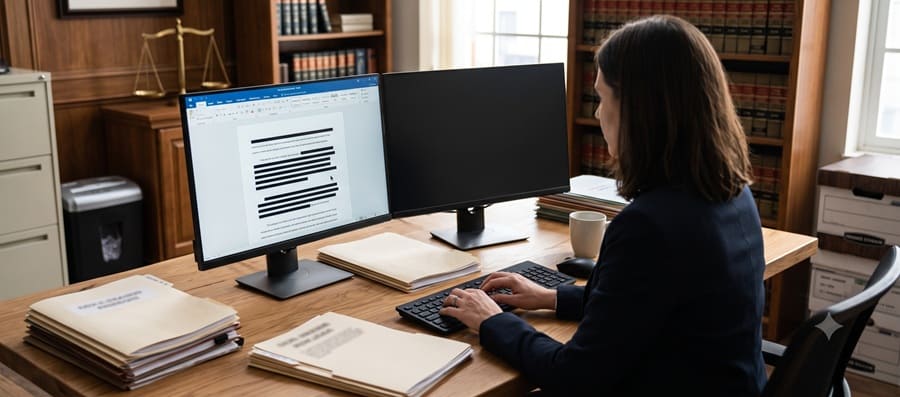
The most common misunderstanding is treating redaction as something that only needs to look correct on screen. A black rectangle, dark highlight, or white font may hide words visually while leaving the underlying text available to copying, searching, extraction, or other inspection.
Federal courts have repeatedly warned electronic filers about this problem. The U.S. District Court for the District of Minnesota, for example, explains that black boxes and white text can leave the underlying information recoverable and that metadata may contain prior revisions or other hidden information. Federal court best practices for redaction
The practical standard is therefore not ‘Can I still see the words?’ but ‘Can the information still be recovered from the final document?’
What Federal Rule 5.2 Requires in Civil Filings
Federal Rule of Civil Procedure 5.2 requires parties filing certain personal identifiers in federal civil cases to limit what appears in the public filing. Federal Rule of Civil Procedure 5.2 Unless an exception or court order applies, filings generally use only the last four digits of Social Security and taxpayer-identification numbers, the year of birth, a minor’s initials, and the last four digits of a financial-account number.
The Rule also makes an important operational point: responsibility for redacting the filing rests with the filer, not the clerk. Courts may also require protection of additional information through local rules, sealing orders, protective orders, standing orders, or case-specific directions.
For that reason, a firm’s redaction checklist should begin with the rules governing the specific filing rather than with a generic list of sensitive fields.
Attorney Confidentiality Adds Another Layer
Court-filing rules are not the only concern. ABA Model Rule 1.6(c) states that a lawyer must make reasonable efforts to prevent inadvertent or unauthorized disclosure of, or access to, information relating to the representation of a client. ABA Model Rule 1.6
The ABA’s commentary explains that the reasonableness of safeguards can depend on factors such as the sensitivity of the information, likelihood of disclosure, cost and difficulty of additional safeguards, and the effect those safeguards have on the lawyer’s ability to represent the client.
State professional-conduct rules can differ from the ABA Model Rules, so firms should check the rules applicable to the lawyers and matters involved.
Where Sensitive Information Can Hide in a Digital File
- Searchable text underneath a black box, highlight, or shape.
- OCR text created from scanned pages.
- Comments, annotations, sticky notes, or tracked changes.
- Document properties and metadata, including author information or file paths.
- Earlier revisions or deleted material retained in the working file.
- Embedded files, attachments, layers, or objects.
- Uncropped portions of images that remain embedded even though the visible page shows only part of the image.
Not every document contains all of these risks. The point is to test the final output rather than assume that the editing program removed everything simply because the visible page looks clean.
How Law Firms Can Evaluate Redaction Software
Software can reduce repetitive work, but it does not eliminate the need for legal judgment. A tool should be evaluated against the documents the firm actually handles: born-digital PDFs, scanned medical records, spreadsheets, exhibits, discovery productions, or large mixed-format collections.
A third-party overview such as redaction software lawyers rely on can be useful as an initial market comparison, but no product list should be treated as proof that a platform satisfies a particular court rule, protective order, client requirement, or professional obligation. The firm should independently test the software before adopting it for sensitive matters.
Questions to Ask Before Choosing a Tool
- Does the tool permanently remove the selected text or merely obscure it visually?
- How does it handle OCR text in scanned documents?
- Can it identify and remove metadata, comments, annotations, attachments, and hidden objects?
- Does it support search-and-redact or pattern detection for repeated identifiers?
- Can reviewers apply redactions across large document sets without losing control of exceptions?
- Does the system create useful audit records showing who applied or approved redactions?
- Can the final output be independently verified outside the redaction platform?
- How are access controls, cloud storage, encryption, retention, and vendor support handled?
Cost and convenience matter, but neither should substitute for testing. A firm that handles a few short filings has different needs from a litigation team processing thousands of pages of medical or financial records.
A Practical Redaction Workflow for Legal Teams
A defensible workflow does not need to be complicated. It does need to be consistent.
- Identify the governing requirements. Review the court rule, local filing rule, protective order, discovery agreement, client requirement, and confidentiality obligations that apply to the document.
- Work from a controlled copy. Preserve the original and create a clearly named working/redacted version so staff do not accidentally overwrite the source.
- Apply true redactions. Use a method designed to remove or irreversibly sanitize the information rather than a drawing or highlighting tool.
- Sanitize hidden content. Check comments, metadata, OCR text, attachments, annotations, form fields, hidden layers, and other embedded material where relevant.
- Review the substance. Confirm that all required information was removed and that no information was redacted unnecessarily.
- Verify the final file independently. Reopen the final PDF and test it as a recipient would: search for the sensitive text, try copying around redaction areas, inspect document properties, and review the visible pages.
- Obtain a second-person check for higher-risk matters. For sensitive or high-volume productions, a second reviewer can catch omissions that the original reviewer no longer notices.
- Preserve a record of the process. For significant matters, document the workflow, software used, quality-control steps, and final approval.
Why a Verification Step Matters
A redaction workflow is incomplete until someone tests the final file. The person who created the redactions is often focused on whether every sensitive item was identified; a separate verification step asks a different question: did the software actually produce a safe final document?
The U.S. District Court for the District of New Jersey warns that electronic PDFs may contain information that is not visible in a normal reader, including metadata, prior revisions, file paths, and hidden image content. Federal court guidance on personal-identity and metadata redaction
Firms should avoid relying on a single copy-and-paste test as the only quality-control measure. Verification should reflect the types of hidden information the firm’s documents can contain.
What If a Redaction Failure Is Discovered After Filing or Production?
Once sensitive information has been sent to opposing counsel, filed publicly, or otherwise disclosed, the priority changes from prevention to containment.
- Stop further distribution where reasonably possible and preserve the affected file and relevant system logs.
- Identify exactly what information was exposed and who received or could access it.
- Notify responsible attorneys, firm leadership, privacy/security personnel, or the client as required by the firm’s incident-response process.
- If the document was filed with a court, review the applicable court’s procedure for restricting access, replacing the filing, sealing material, or seeking other corrective relief.
- If material was produced in discovery, review the protective order, confidentiality agreement, privilege-clawback provisions, and applicable procedural rules before communicating with the recipient.
- Evaluate whether professional-conduct, contractual, insurance, privacy, or data-breach notification obligations are implicated.
- Correct the workflow problem that allowed the disclosure rather than treating the event as an isolated user mistake.
The correct response depends heavily on the jurisdiction and type of information disclosed. Firms should not assume that deleting a local copy or uploading a corrected document automatically removes the original from every recipient or public system.
How NIST Can Fit Into a Law Firm’s Privacy Program
The NIST Privacy Framework can help organizations identify and manage privacy risk across systems, processes, and teams. NIST describes the framework as a voluntary enterprise risk-management tool; it is not a court redaction rule and does not itself establish whether a particular filing is legally compliant.
For a law firm, its value is organizational. The framework can help connect redaction to broader questions such as data classification, access controls, vendor management, incident response, accountability, and documented privacy procedures.
A Short Pre-Filing Redaction Checklist
- Have we identified every rule, order, or agreement governing confidential information in this document?
- Were redactions applied using a true redaction function rather than visual masking?
- Was OCR text checked?
- Were metadata, comments, annotations, attachments, and hidden objects reviewed?
- Was the final output saved as a separate redacted version?
- Was the final file reopened and independently tested?
- Was a second review completed when the sensitivity or volume justified it?
- Is the version being filed or produced the verified final copy?
Frequently Asked Questions
Is putting a black box over text enough to redact a PDF?
Not necessarily. Federal court guidance warns that black boxes, highlights, and similar visual masking techniques can leave the underlying text recoverable. A redaction method should remove or irreversibly sanitize the protected information.
What information must be redacted from federal civil court filings?
Under Federal Rule of Civil Procedure 5.2, filings generally limit Social Security and taxpayer-identification numbers to the last four digits, birth dates to the year, minors’ names to initials, and financial-account numbers to the last four digits, subject to exceptions and court orders.
Does Rule 5.2 cover every type of confidential information?
No. Other information can be protected by local rules, protective orders, sealing orders, statutes, or case-specific requirements. Rule 5.2 is an important baseline, not a complete confidentiality code.
Is metadata part of a redaction review?
It can be. Metadata, comments, revision history, file paths, embedded objects, and OCR layers can contain information not obvious from the visible page.
Should law firms use automated redaction software?
Automation can be useful for high-volume or repetitive work, but it should support rather than replace legal judgment and quality control. Firms should test any tool against representative documents and independently verify final output.
What should a firm do if confidential information was accidentally filed publicly?
The response depends on the court and circumstances. The firm should promptly identify the disclosure, preserve relevant information, review court procedures for restricting or correcting the filing, and evaluate client, ethical, contractual, and privacy obligations.
Disclaimer
This article provides general educational information about legal document handling and digital redaction. It is not legal, ethics, cybersecurity, or compliance advice. Court rules, professional-conduct obligations, privacy laws, protective orders, discovery agreements, and client requirements vary by jurisdiction and matter. Law firms should verify the rules that apply to each filing or production and evaluate technology and incident-response procedures in light of their own professional and contractual obligations.
Authorities & Sources
- Federal Rule of Civil Procedure 5.2 – Privacy Protection for Filings Made with the Court
- ABA Model Rule 1.6 – Confidentiality of Information
- S. District Court, District of Minnesota – Best Practices: Redaction of Information
- S. District Court, District of New Jersey – Personal-Identity and Metadata Redaction Techniques
- NIST Privacy Framework
